
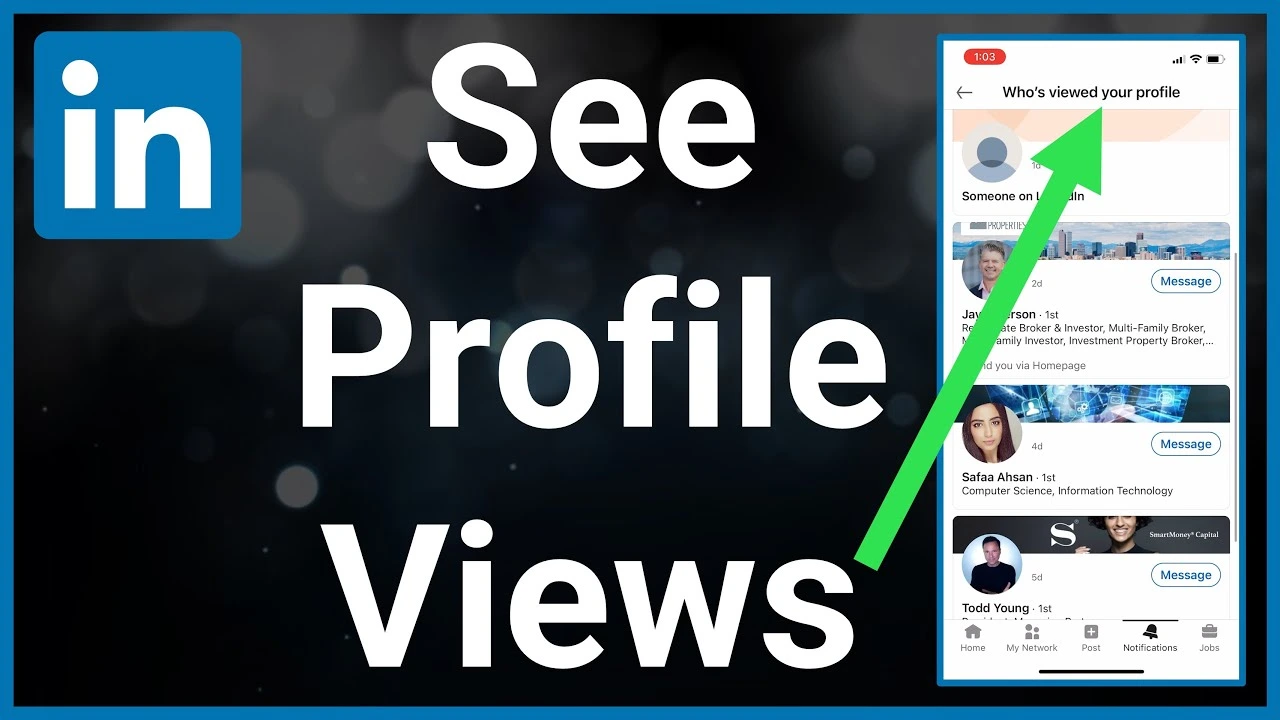
Does LinkedIn Reveal The Profile Viewers In 2026? A Professional Guide
Yes. LinkedIn can show who viewed your profile, but there are certain rules. LinkedIn is the ultimate platform for professional networking. It helps you find jobs and build your personal brand. You visit thousands of profiles daily, either for sending them a connection request or with the hope of working with them in the future. But it also raises a common question for most of the recruiters and job seekers: Can people see when you look at their profiles? Does LinkedIn show who viewed your profile?
LinkedIn’s profile viewing system depends entirely on your account settings and your membership tier. Keep reading to know everything you need to know about navigating privacy on LinkedIn.
Understanding LinkedIn’s Profile Viewing Settings
LinkedIn gives you total control over what other users see when you browse their profiles. You can choose between three different privacy modes. You can also change these settings at any time in your visibility dashboard.
The options for profile view settings include:
Full Profile Mode
This is the default setting. The person sees your full name, job title, company, and profile picture when you view a profile.
Make sure to work with professional LinkedIn profile makeover services if you have turned on this setting. They can help you create a powerful personal brand to attract recruiters when you view their profile.
Semi-Private Mode
This mode hides your exact identity. It only displays general traits. The user will see something like “Someone at Google” or “Content Writer from New York.”
Private Mode (Incognito)
So does LinkedIn show who viewed your profile in private mode?
No. It provides total anonymity in this option. The user will only see the phrase “LinkedIn Member.” No other details are shared.
What You Should Know About Basic vs. Premium Accounts
While you can choose any privacy mode for free, your choice directly affects what you can see on your own dashboard. LinkedIn uses a strict give-and-take rule for basic members.
The Basic Account Rule
If you have a free account and set your browsing mode to Private or Semi-Private, you lose the ability to see who viewed your profile. LinkedIn locks your history. Even if someone with a full public profile views your page, LinkedIn will hide their identity from you.
You must keep your own account set to full profile mode to see your viewers from the last 90 days, only if they haven’t hidden their identity.
The Premium Account Advantage
LinkedIn Premium unlocks full visibility. If you pay for a Premium membership, you can browse in complete Private Mode while still seeing the full list of people who viewed your profile over the past 90 days.
You need to make sure that your profile is worth visiting if you have a premium account. A reputable CV and LinkedIn profile writing service can help you create a standout profile!
A Quick Comparison Table For Both Accounts
| Account Type | Your Browsing Mode | Can They See You? | Can You See Them? |
| Basic (Free) | Full Profile Mode | Yes | Yes |
| Basic (Free) | Semi-Private Mode | Only general traits | No |
| Basic (Free) | Private Mode | No | No |
| Premium | Any Mode | Depends on your choice | Yes( Full 90- Day history) |
How to Change Your Privacy Settings On LinkedIn?
Adjusting your visibility on LinkedIn takes less than a minute. Follow these simple steps on your desktop or mobile app:
1. Click on your profile icon at the top of the homepage.
2. Select Settings and Privacy from the dropdown menu.
3. Click on Visibility on the left-hand sidebar.
4. Select Profile viewing options.
5. Choose your preferred mode: Full Profile, Semi-Private, or LinkedIn private mode.
What Does “LinkedIn Member” Mean?
When you check your “Who Viewed Your Profile” dashboard, you will often see the generic title “LinkedIn Member.” This can be frustrating, but it happens for two specific reasons:
- Strict Privacy Choices
The person who looked at your profile has explicitly set their account to Private Mode. LinkedIn respects its privacy and will never reveal its identity, even to Premium users.
- Basic Account Limits
Many users wonder, does LinkedIn show who viewed your profile for free accounts?
The thing is, if you are a free user, LinkedIn replaces older views with this placeholder to encourage you to upgrade to Premium.
How Recruiters View Profiles On LinkedIn?
If you are actively looking for a job, you need two things. A professional CV maker Ireland and an understanding of how recruiters operate. Recruiters use a specialised corporate tool called LinkedIn Recruiter.
This platform operates under different rules:
- Your settings apply normally if a recruiter views your profile through a standard search.
- If a recruiter finds you using the dedicated LinkedIn Recruiter platform, they can browse your profile anonymously by default.
Do not be discouraged if you see generic recruiter views. It usually means a hiring manager is actively researching talent in your field.
What More Can You Expect From LinkedIn Premium?
You need to invest in a few things if you are a candidate worried about a job, you. These are a great resume, a personal statement for CV, and a strong LinkedIn presence.
Having a LinkedIn Premium account isn’t mandatory. However, it offers a full list of viewers for up to 365 days for business and career accounts. This, in return, offers you a reason to reach out to potential employers from your viewers’ list.
Here is what more you can expect with the advanced analytics offered by this option.
- Weekly graphic insights for profile traffic
- A highly filtered list of the viewers
- A properly highlighted list of notable viewers
- Skills suggestions according to the visitor searches
FAQS
Does LinkedIn show who viewed your profile if you block them?
No! LinkedIn instantly removes any traces of your name and visiting notification from its visitor history if you block someone. However, it temporarily records the moment you visit someone and removes you from their dashboard when you block them.
Does LinkedIn show who viewed your profile from Google?
Yes. Your view will only be visible when you have logged in to your Google profile from that browser. However, your visit will remain completely anonymous if you have signed out or are exploring the profile from an incognito mode.
What are the benefits of knowing about the LinkedIn profile viewers?
Knowing about your LinkedIn profile viewers can turn passive visitors into actionable opportunities. It allows you to identify interested recruiters and measure the effectiveness of your posts and keyword optimisation.
Key Takeaways
So, does LinkedIn show who viewed your profile? The answer depends on your privacy mode, which ultimately connects with your professional goals. There is no single correct setting for everyone. You should stay visible if you are actively looking for a job or trying to grow your network, as it shows people you are open to engagement.
However, private mode is your best option if you are conducting competitive research or reviewing candidates for a job opening. By mastering these simple visibility rules, you can network confidently on LinkedIn without worrying about becoming a part of someone’s viewer list.

I work with professionals who are tired of guessing their next career move. As a LinkedIn consultant and career coach, I help people define their strengths, position themselves confidently, and make strategic career decisions. I also write about careers, growth, and workplace realities, sharing practical insights, honest lessons, and tools you can actually use.