
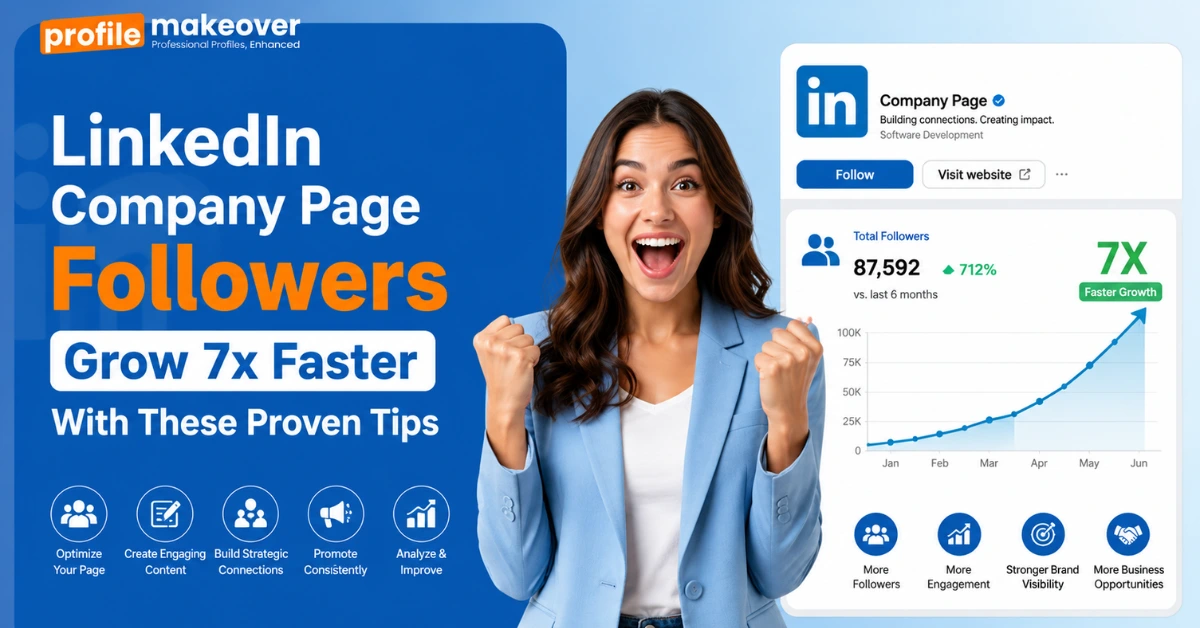
LinkedIn Company Page Followers Grow 7x Faster With These Proven Tips
Your LinkedIn Company Page has been stuck at the same follower count for three months. You’ve posted updates, shared the occasional company photo, maybe even paid for that boost button once. The number still hasn’t moved.
Most LinkedIn advice tells you to post consistently and engage with your audience, without explaining why that isn’t already working. A real LinkedIn followers boost doesn’t come from doing more of the same. It comes from a handful of specific moves that most company pages never bother making, and that’s what this guide walks through.
How to Get Followers on LinkedIn Instead of Connections
Here’s the mix-up almost everyone makes: a personal profile lets you connect or follow, but a company page only has one option: follow. There’s no accepting requests, no mutual approval, nothing to connect with. So when someone asks how to get followers on LinkedIn instead of connections, the honest answer is that a page was never built for connections in the first place.
That sounds like a small detail, but it changes how you think about growth. You’re not waiting for someone to accept anything. You’re giving them a reason to hit one button once, with no back-and-forth. Most pages stay stuck because they’re still running connection-style tactics, like DMs and follow-backs, when none of that applies here. The page either earns the click or it doesn’t.
Why Growth Stalls Right After the First Wave
Every page goes through the same opening few weeks. Employees join, then a handful of close contacts follow out of support, and for a moment, it looks like real momentum. Then the number just sits there.
That’s not bad luck. That first wave follows because they already know you. After that, the page is asking strangers to follow content that reads like an internal memo, a product update with no real hook. None of that travels past people who already care, which is why generic posting advice never fixes it. A real LinkedIn followers boost has to start somewhere else.
Your People’s Profiles Matter More Than the Page
Your page doesn’t carry your reach. Your people do.
Every time an employee shares a post, comments under a client’s update, or just lists where they work, that activity reaches people the page itself never could. The catch is that most employee profiles are half-finished: missing job titles, outdated headlines, and an about section that was never filled in past one line. So even when someone does share something, it doesn’t land the way it should.
This is exactly where a LinkedIn Profile Optimisation Service earns its place. It’s not about giving people a fancier headline. It’s about making sure that when a founder’s or an employee’s profile gets a second look, it actually supports the page they’re tied to. A polished profile turns ordinary sharing into something that pulls new followers toward the page instead of past it.
What Makes People Hit Follow
Nobody follows a page because it exists. They follow because one post actually said something specific. If your last ten posts could’ve come from any competitor, nothing’s pulling a stranger toward your page over theirs. Press releases inform. They rarely make anyone want more. The follow happens when a post sounds like one person actually thought it through, not five departments approving it first.
Make Your About Section Read Like a Resume
Most About sections read like a personal essay when they should read like a resume. Recruiters skim resumes for 15 seconds before deciding whether someone is worth a second look, and that’s exactly how people skim your About section, too.
Treat it the same way a LinkedIn resume gets treated: short lines, real numbers, no soft phrases like “passionate about growth.” Say what you actually did, not how you felt about doing it. The about section is read fast, judged faster. If a stranger can’t tell what you actually do in five seconds, the section has already failed its only job.
Why the Photo and Headline Decide First
Someone glances at a profile for about two seconds before deciding if it’s worth a click. In that window, only three things actually register:
- The photo: clear, current, not a logo or a vacation photo, cropped weird.
- The headline: what you actually do, not a string of buzzwords.
- The banner: wasted space on most profiles, free real estate on a good one.
None of this takes long to fix. It just rarely gets fixed, because it feels too small to matter until it’s the reason someone scrolled past.
The Resume Opens the Door, the Profile Confirms It
A great resume gets someone to check your LinkedIn before anything else happens. That’s the part people forget. If the dates don’t line up, the title doesn’t match, or the profile just feels thinner than the resume, the credibility built in one document gets undone by the other. Recruiters do this constantly: a resume claims five years leading a team, the profile still lists an individual contributor role from three jobs ago.
Even a top resume can’t fix that gap on its own. The two need to say the same thing, in the same order, with the same level of detail. One confirms the other, or neither one fully works.
When It’s Worth Getting Outside Help
Most people can fix their own headline and banner in twenty minutes. Rewriting an entire profile to actually sound like them, while still hitting every section that matters, takes longer than most founders have to give it.
That’s usually the point where bringing in a LinkedIn profile writer makes sense, not because the person can’t write, but because they haven’t looked at their own profile in two years and don’t know where to start. A good writer asks the questions you’d never think to ask yourself, then turns the answers into something that actually reads like you, not like a template. It’s a small investment that saves the higher cost of a profile nobody bothers to read.
How to Add Followers on LinkedIn Company Page
Three Things That Actually Move the Number
Most advice on this topic stops at “post more.” These three things actually move the follower count, and none of them depend on the algorithm cooperating.
- Add a follow button to your website and email signature, so people who already trust you don’t have to go searching for the page.
- Make sure every employee’s work experience actually lists the company, since LinkedIn nudges their new connections to follow the page automatically once that’s in place.
- Use your monthly batch of manual invites on people who’ve already engaged with your posts, not random contacts pulled from a list.
This is where a genuine LinkedIn followers boost actually comes from, not from another scheduling tool.
FAQs
How to show followers on LinkedIn profile?
Go to your profile, click the pencil icon next to your intro, and toggle on “Followers” under your settings. It’ll display next to your connection count for anyone visiting your profile.
How often should a company page post?
Three to five times a week is enough to stay visible without burning out your content pipeline. Consistency matters more than frequency.
Do followers actually affect reach?
Yes, but only the ones who engage. A smaller, active following will always outperform a large, silent one.
Final Thought
You have got some valuable insights along with practice advice about LinkedIn followers boost. Now it is your time to implement everything and turn your account into a recruiter’s magnet. Create a strong presence, build relevant connections, and become that upcoming LinkedIn guru by taking over this platform.

I work with professionals who are tired of guessing their next career move. As a LinkedIn consultant and career coach, I help people define their strengths, position themselves confidently, and make strategic career decisions. I also write about careers, growth, and workplace realities, sharing practical insights, honest lessons, and tools you can actually use.